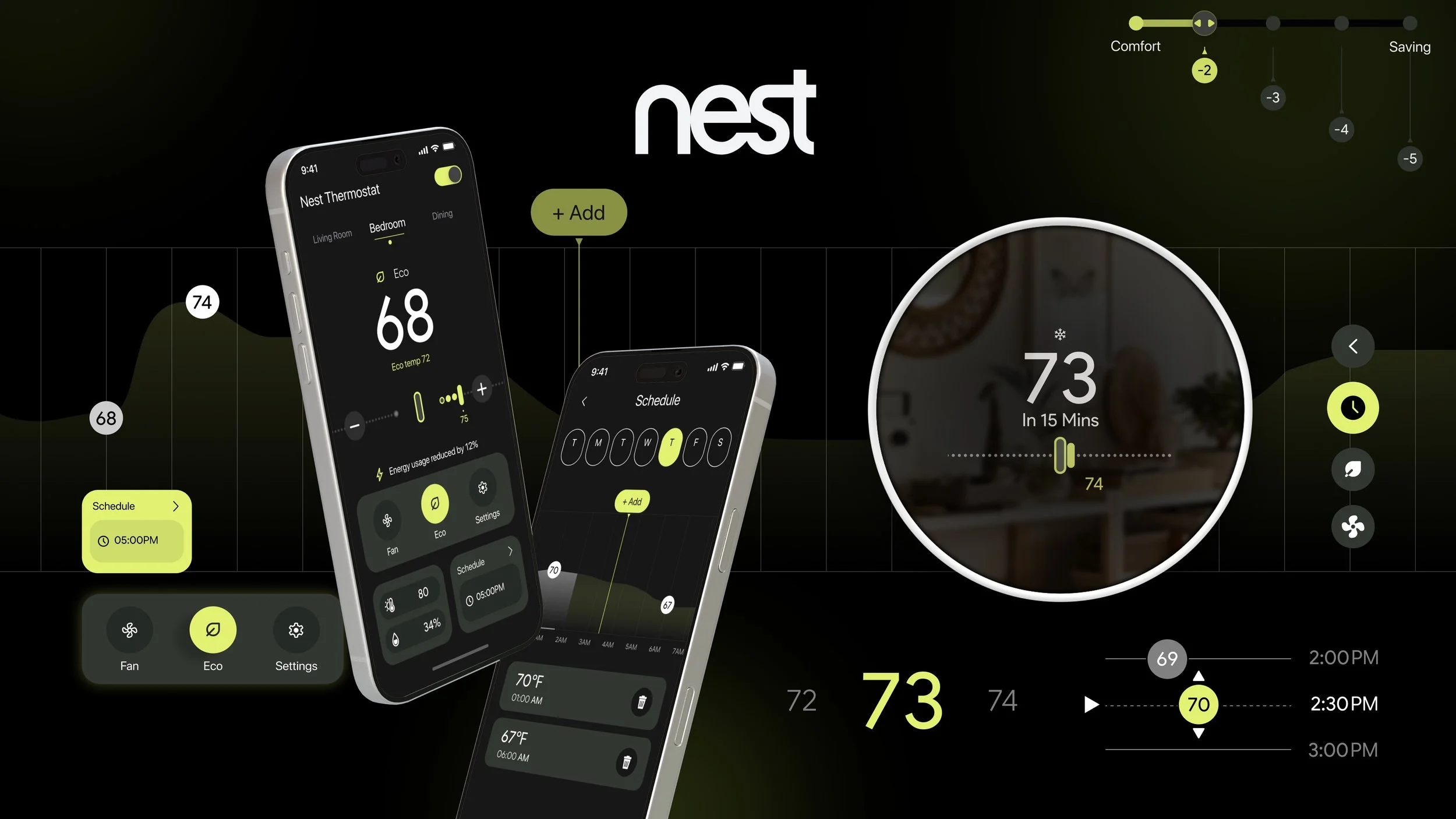
Smarter Temperatures
Smaller Footprints

Green & Affordable · Nest Thermostat design
Project Goal
To design an energy-saving experience that is transparent, intuitive, and reliable, while preserving a high standard of user comfort and ensuring cost-effectiveness for a broad range of users.
My Impact
I led the design of the visual identity and user flow for the thermostat, delivering a clean, consistent, and intuitive interface with clear navigation paths. I also supported user testing to refine the design based on user feedback.
Team
Siqing Zhong, Jinxue Yang, Peter Yao, Navyaa Taneja
Tools
Figma
The Problem
Our Goal
Target Audience
The current Nest Thermostat system offers limited visibility into energy impact and lacks intuitive tools for sustainable decision-making. Features like Eco Mode exist but are underexplained, passive, and visually detached from user outcomes—leading to inefficiencies in behavior and energy savings.
Our design reimagines Eco Mode and scheduling as active, real-time tools that empower users to save more while staying comfortable. Through simplified gestures, visual energy feedback, and customizable comfort-to-saving sliders, we bridge the gap between intention and action.
Tech-aware homeowners and renters who seek energy-efficient solutions without compromising comfort. This includes environmentally conscious individuals and families who want more control, flexibility, and transparency from their smart home systems.
Core Value Proposition
Smart Balance
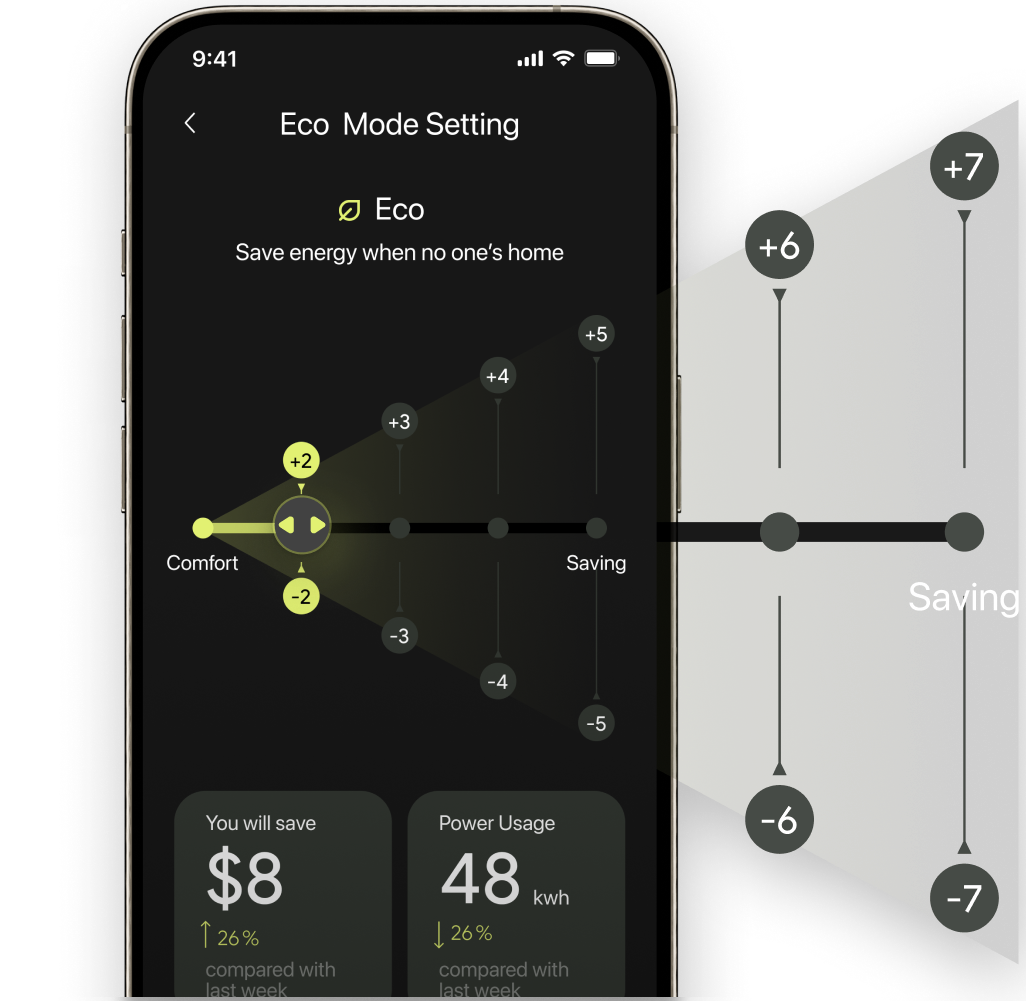
The adjustable Comfort–Savings Slider empowers users to personalize energy use without compromise, with real-time savings feedback supporting smarter, low-effort control.
Clear Insights
Visual cues and real-time insights help users instantly understand the impact of their choices, reducing uncertainty and enabling confident decision-making.
Sustainability by Default
Eco Mode promotes sustainable usage as a default, supporting daily routines through subtle nudges and flexible scheduling—turning sustainability into a natural habit.
Key Features
Customizable comfort,
with instant visual feedback
Adjust the comfort zone, and see the savings unfold.
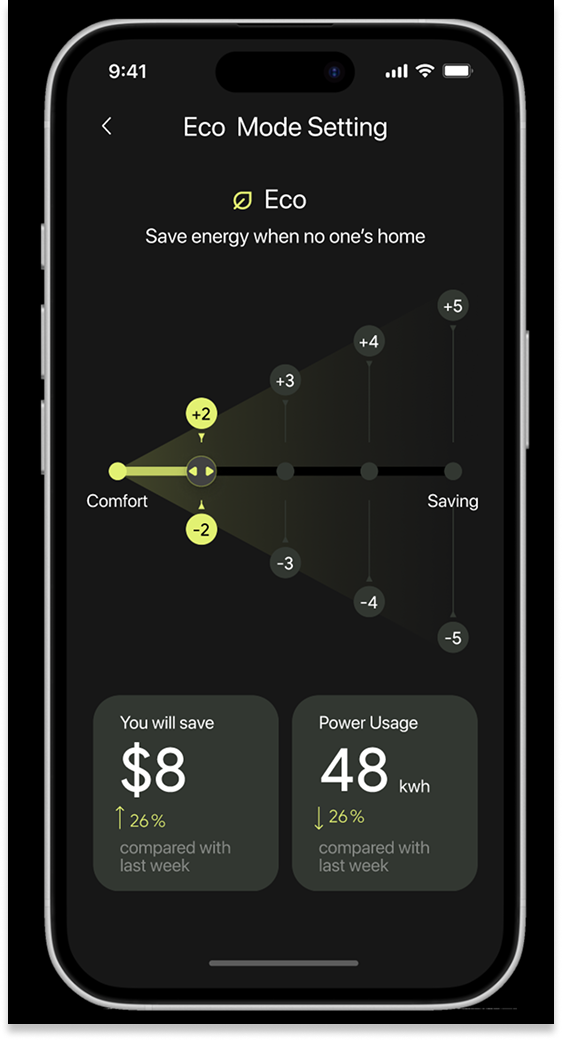
Real time feedback
Users see how their settings impact savings by every week.
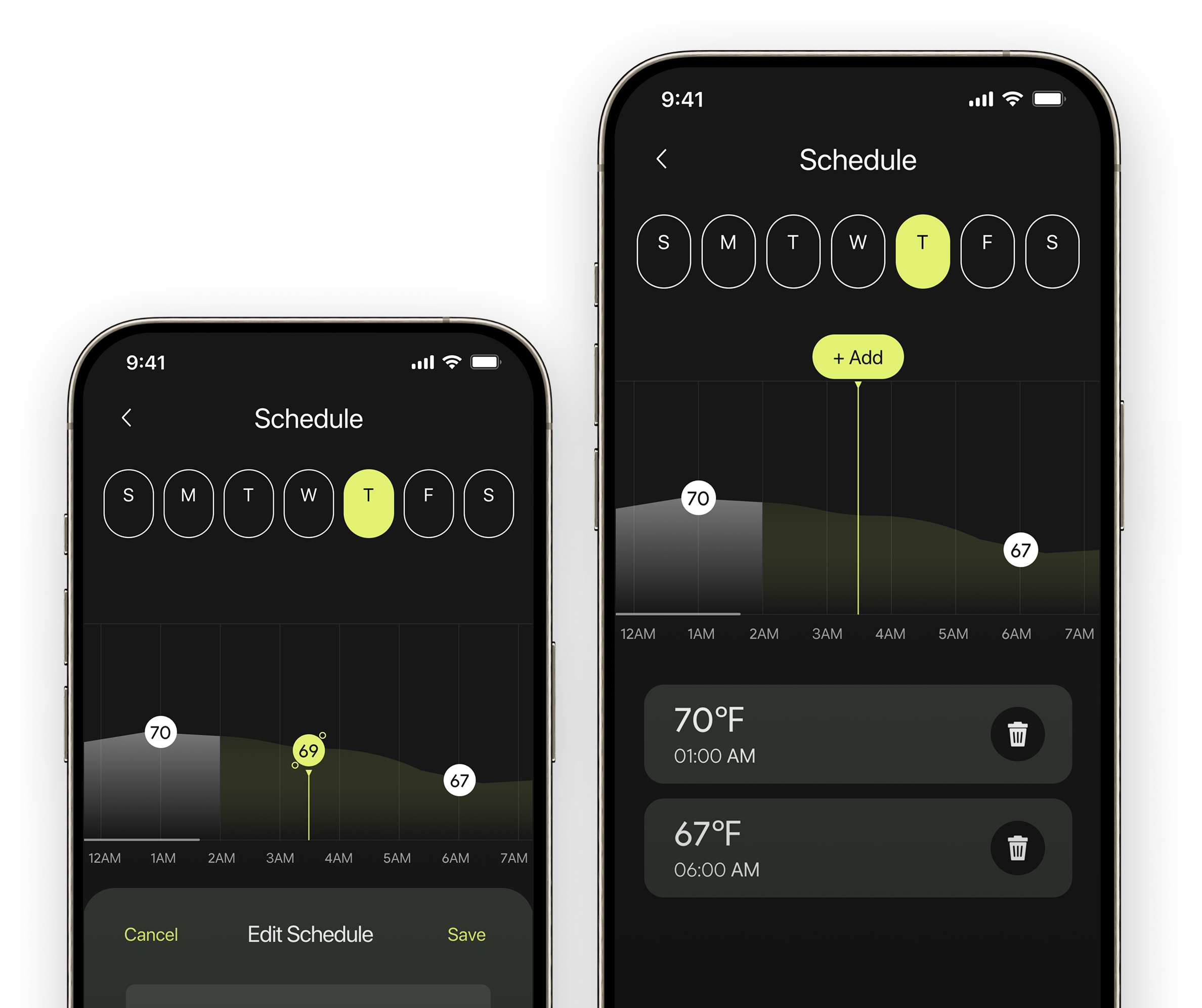
See it, set It
Visual scheduling with simple touch control.
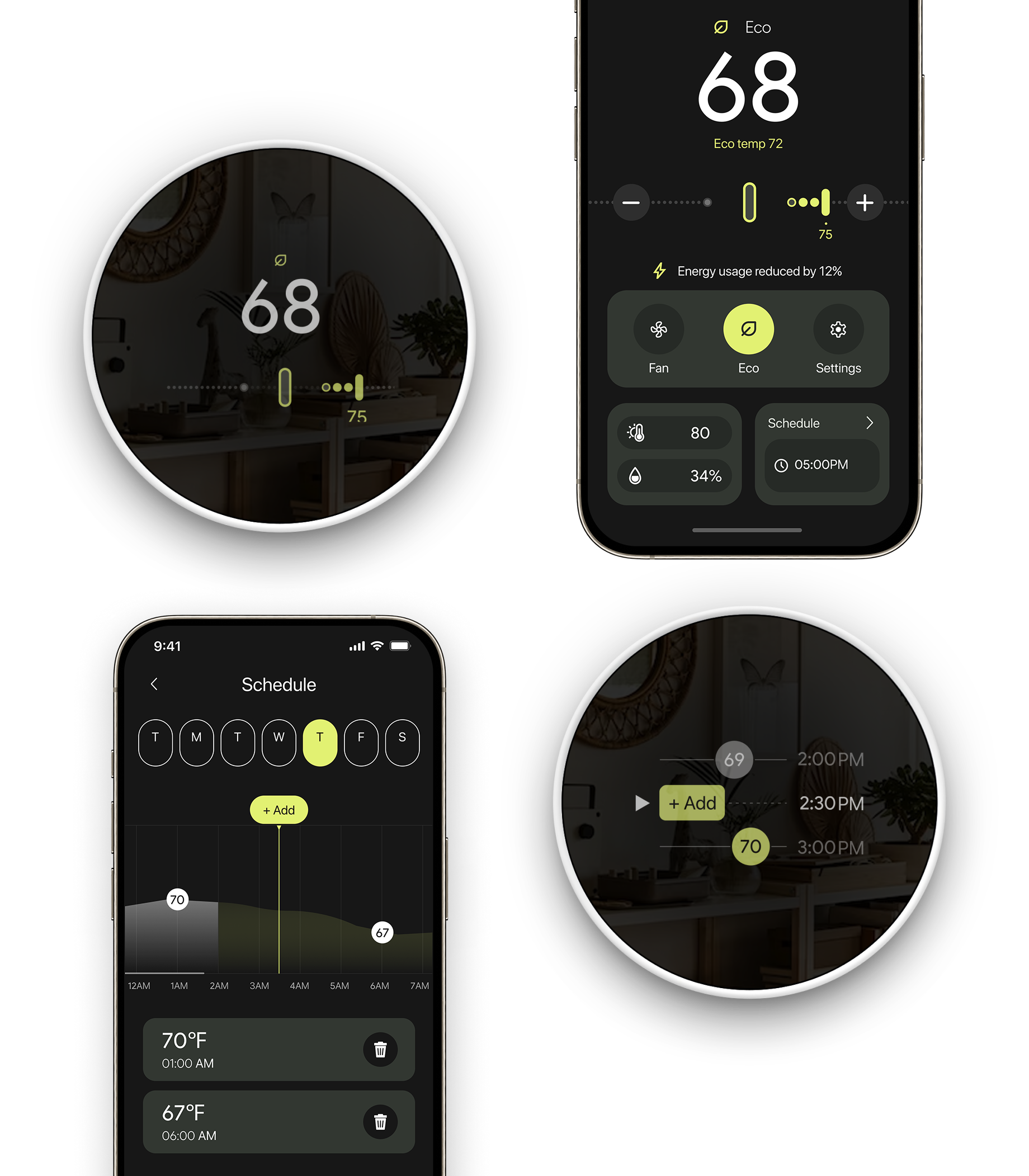

One System, One Experience
A unified experience across app and device, with thumb-friendly and intuitive gestures.


Reimagine
Design Progress
Moodboards

Wireframe
Wireflow

Design Guideline
Information Architecture
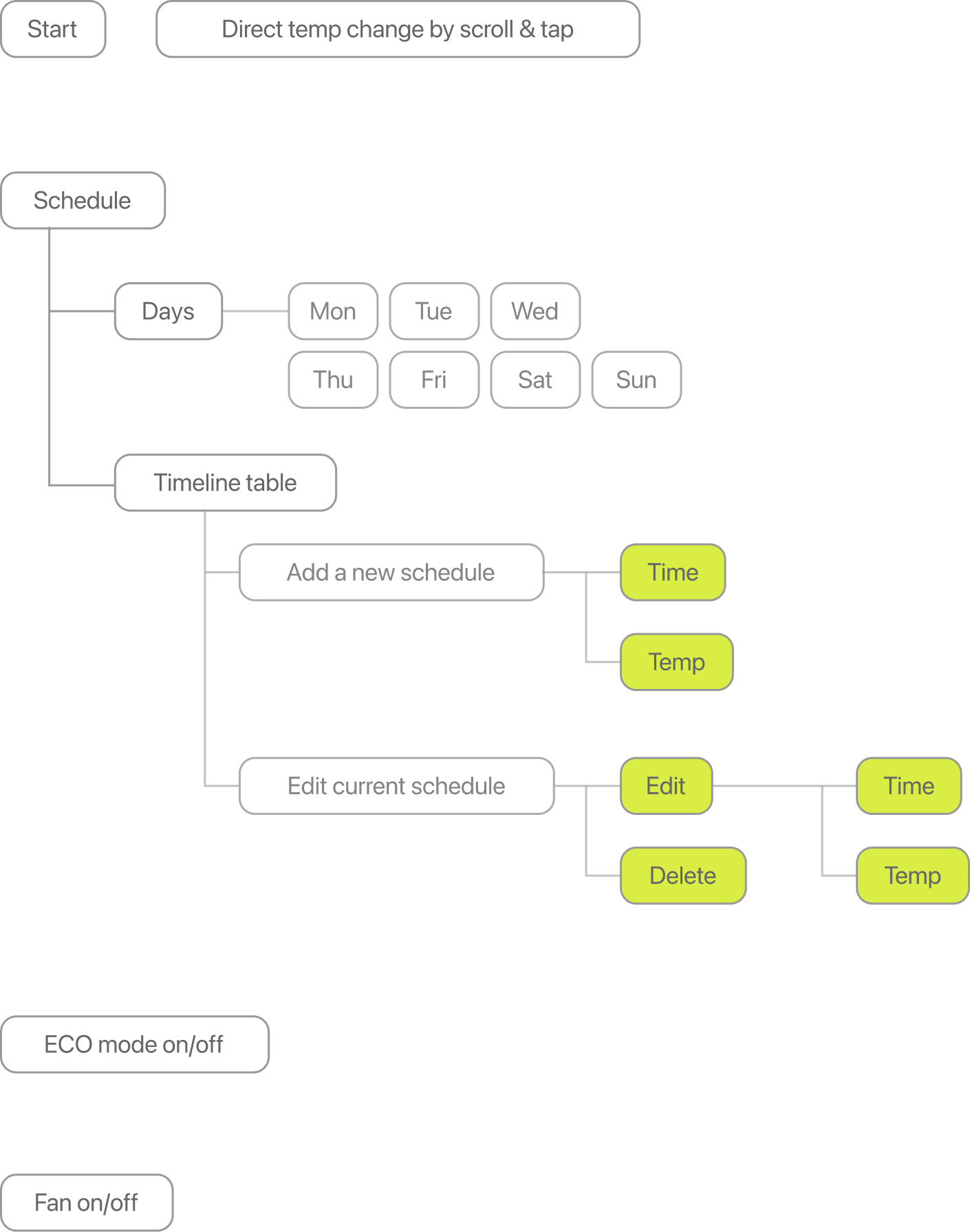
Thermostat
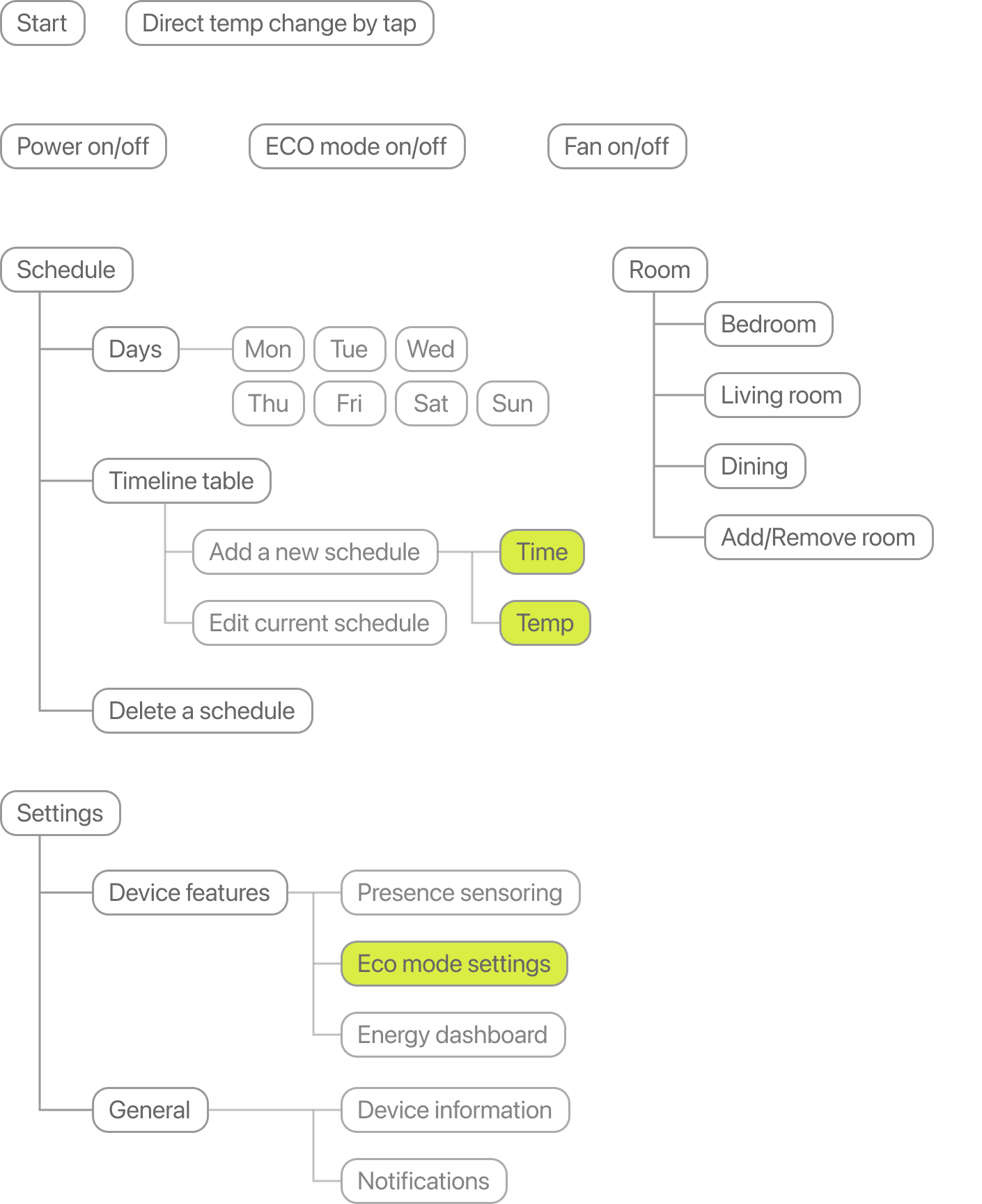
APP
Wireframes
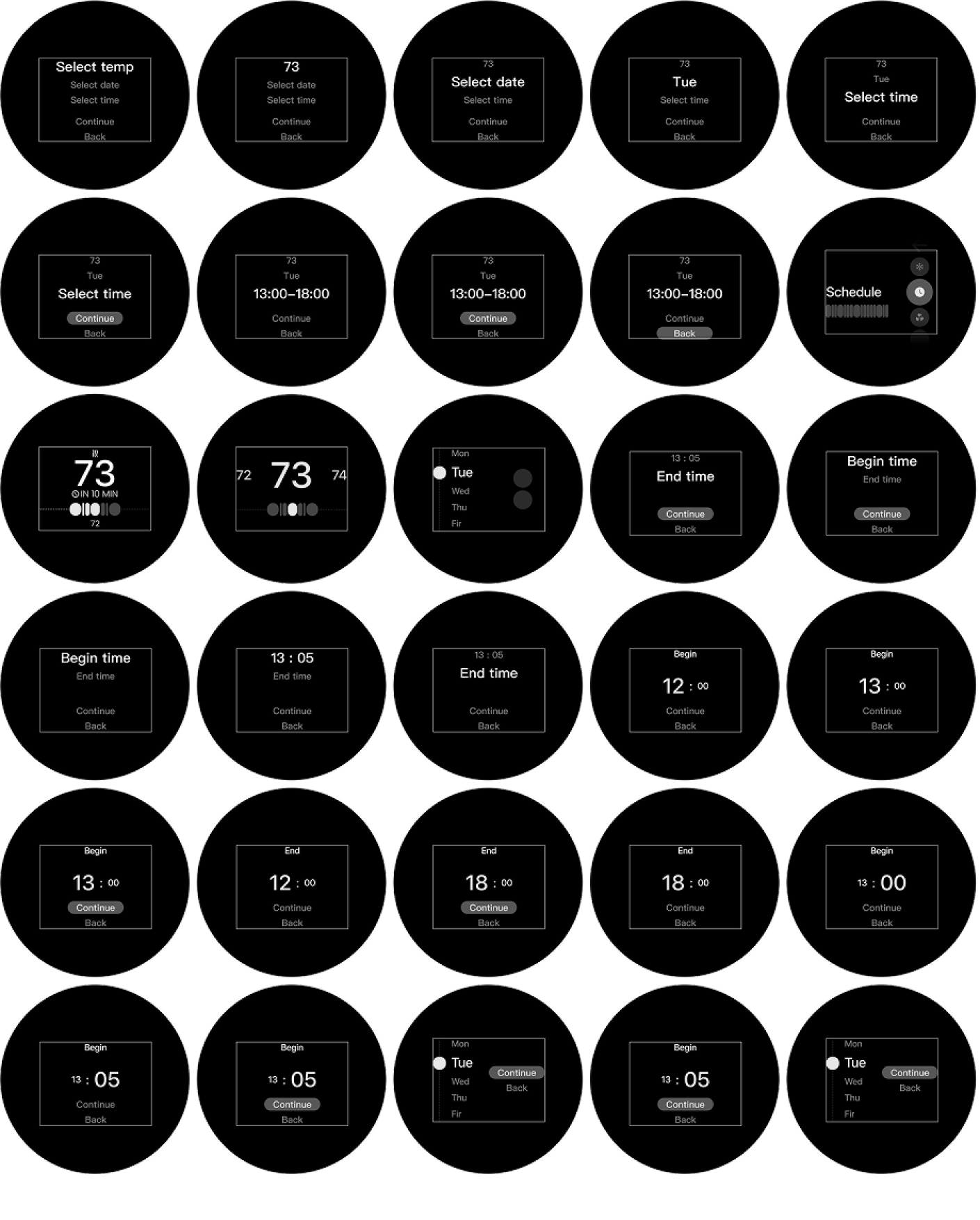
Thermostat
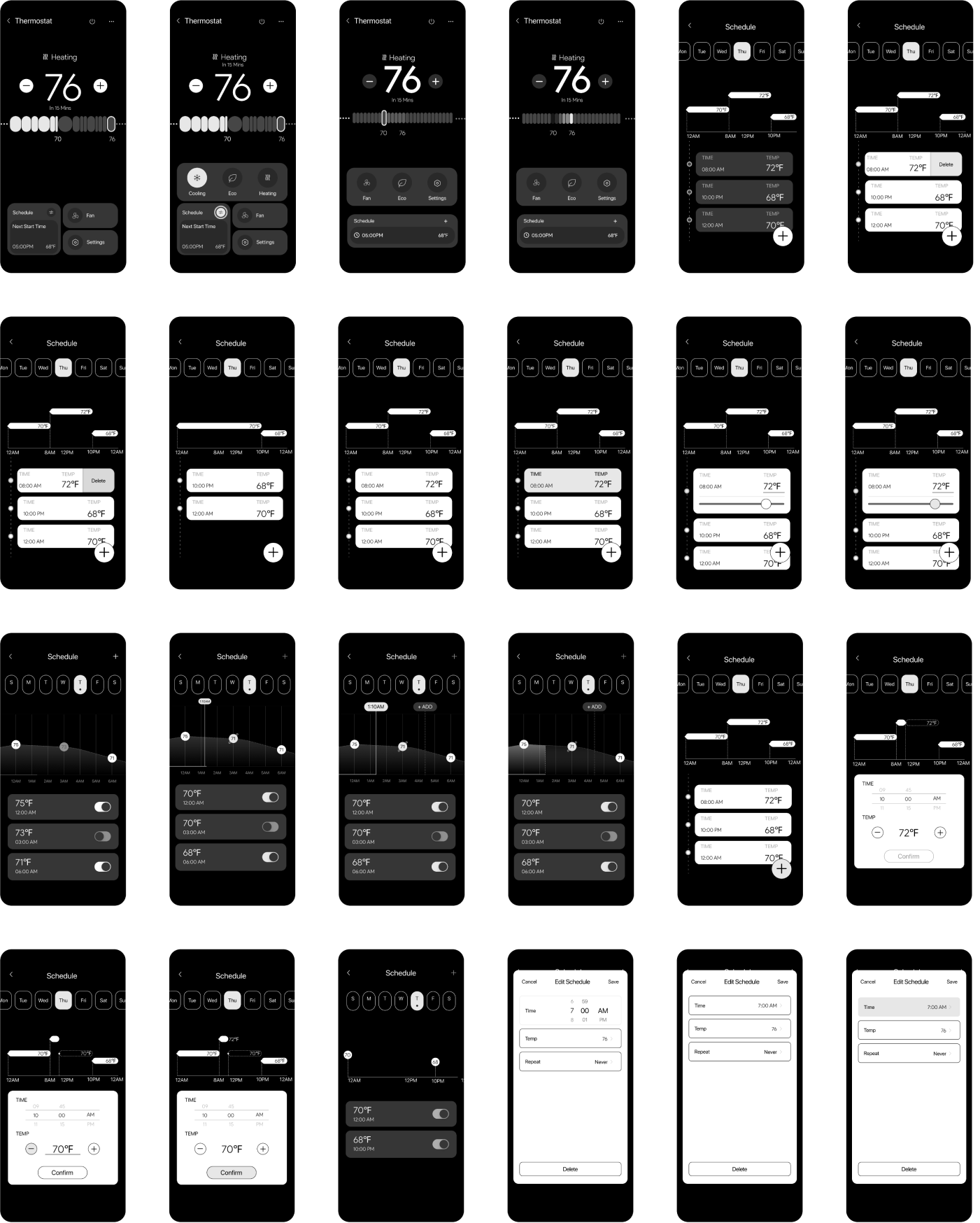
APP
Task Analysis
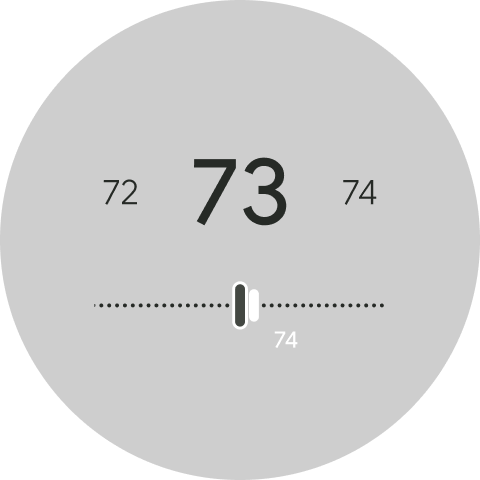
Scroll feature
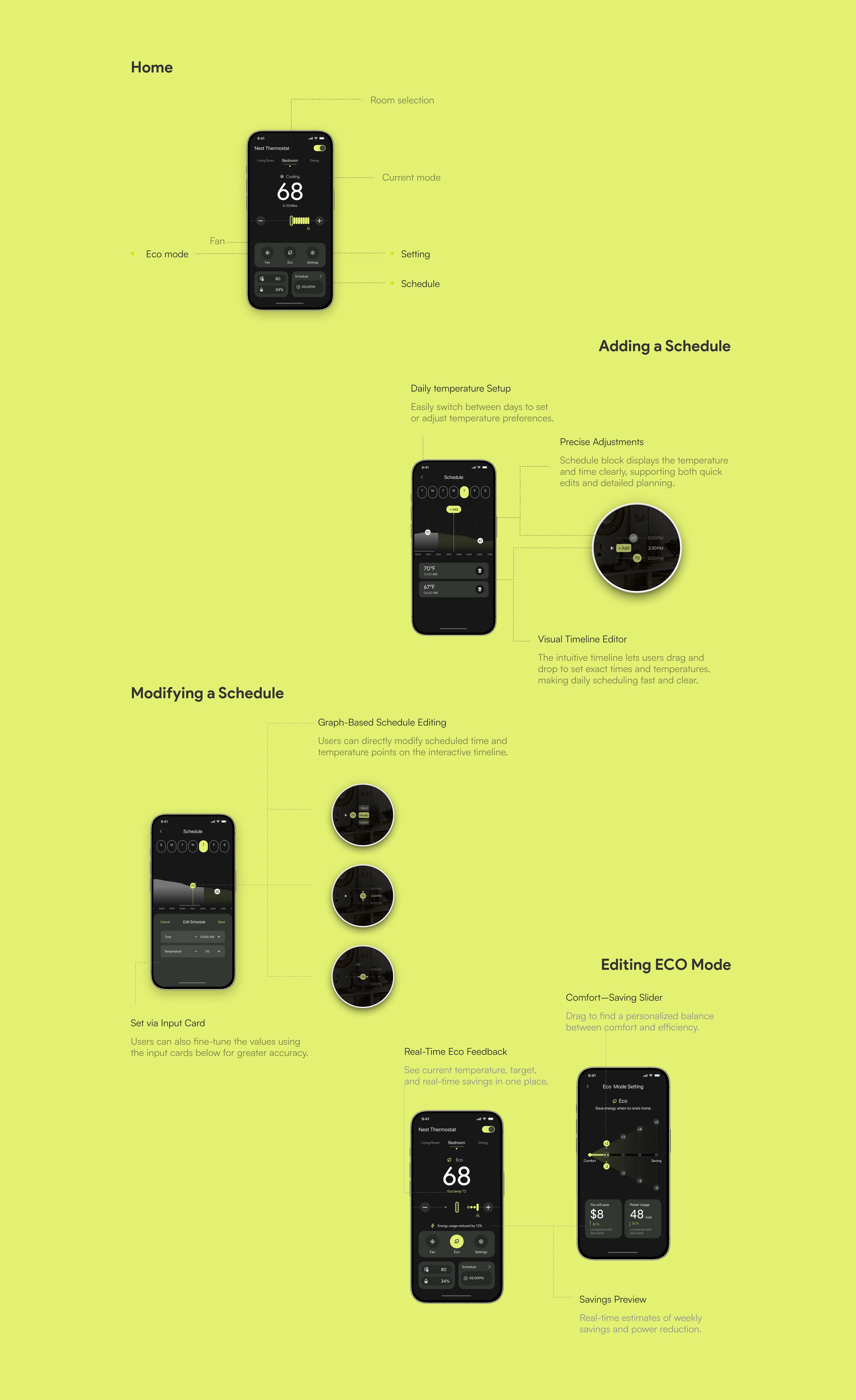
Enable scroll temperature adjustment for users
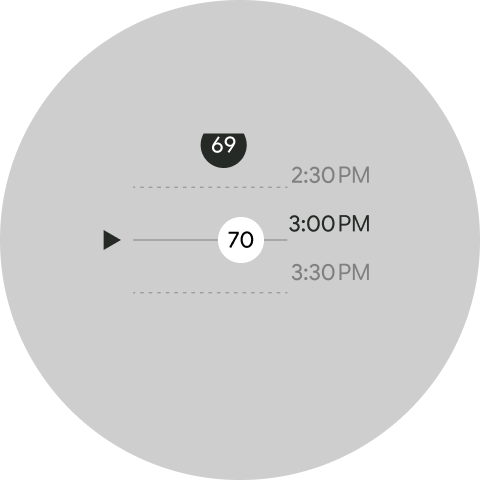
Task overview
User could overview whole day schedule
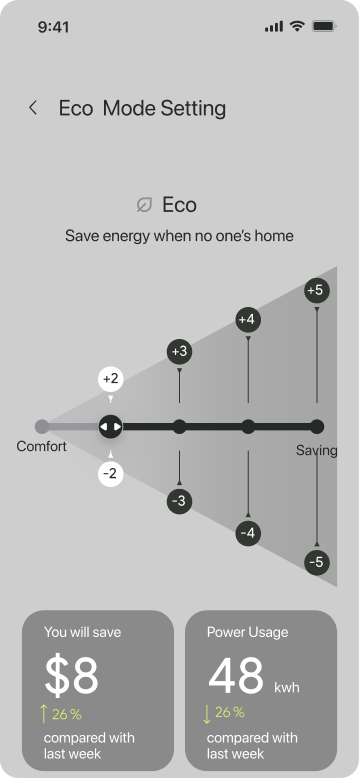
ECO mode feature
Use visualized data to tell user the adjustable area between comfort and saving under ECO mode
Thermostat
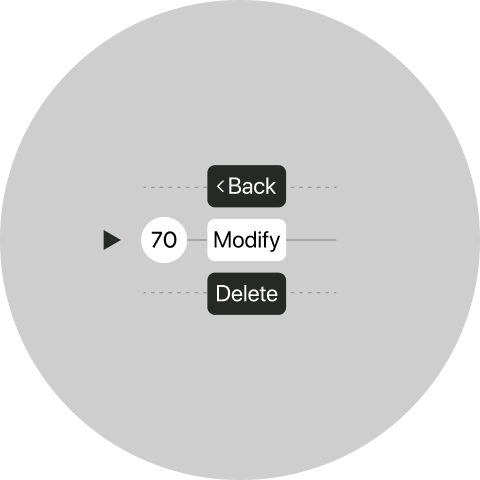
Modify preschedules
Enable user to change preschedule directly instead of overlap
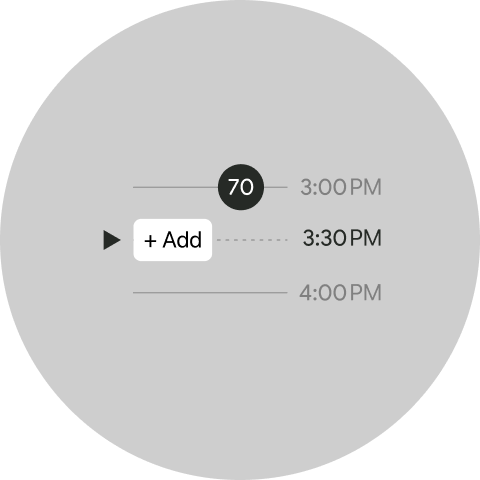
Add a new schedule
When scroll to empty space, it enable user add new schedule
APP
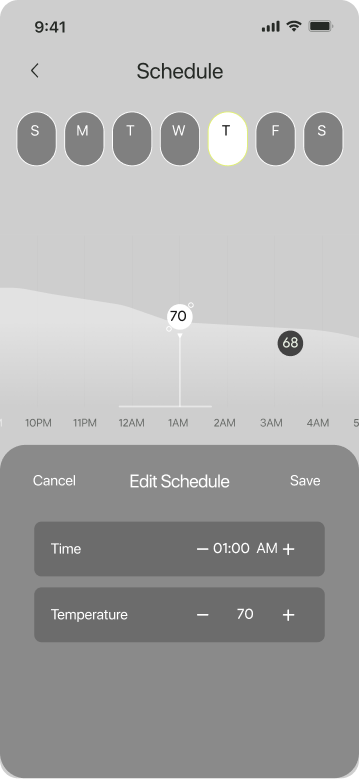
View temp variation
When user adjust new temp, the temp line would showcase the variation accordingly
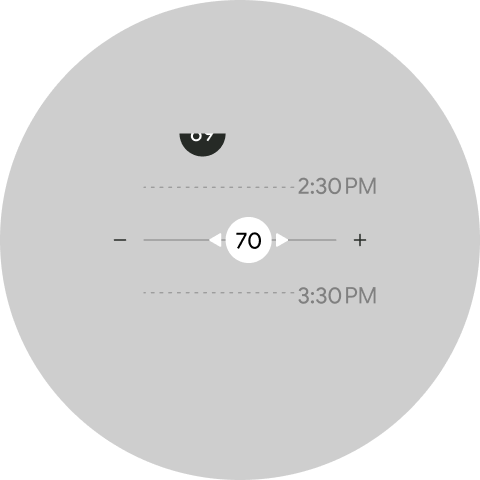
Modify the temp
Enable user to reference previous temp
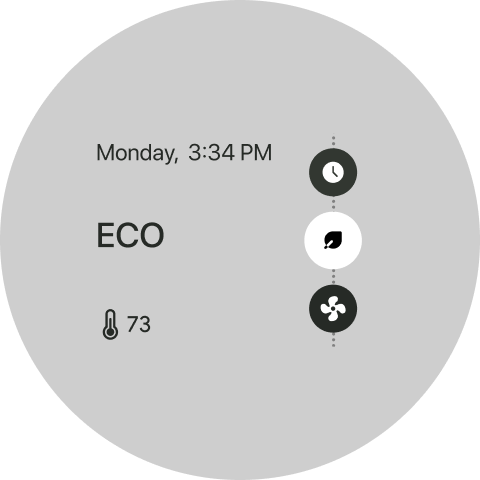
ECO mode
User could save more energy though open ECO mode
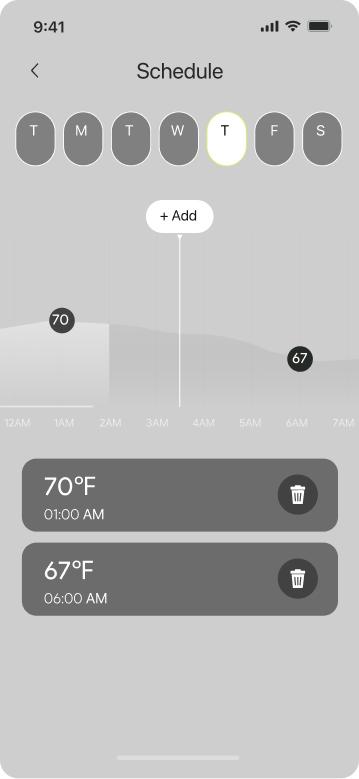
Scroll to add new schedule
When user scroll the timeline of schedule, it would enable user to add new schedule automatically
Results
Average Task Duration
Confidence Interval
To evaluate the usability of the redesigned system, 15 participants completed tasks across the thermostat, app, and entire system. Task durations and SUS scores were collected, with confidence intervals calculated to assess the reliability and variation in user feedback.
Usability Issues & Design Suggestions
Average SUS Score
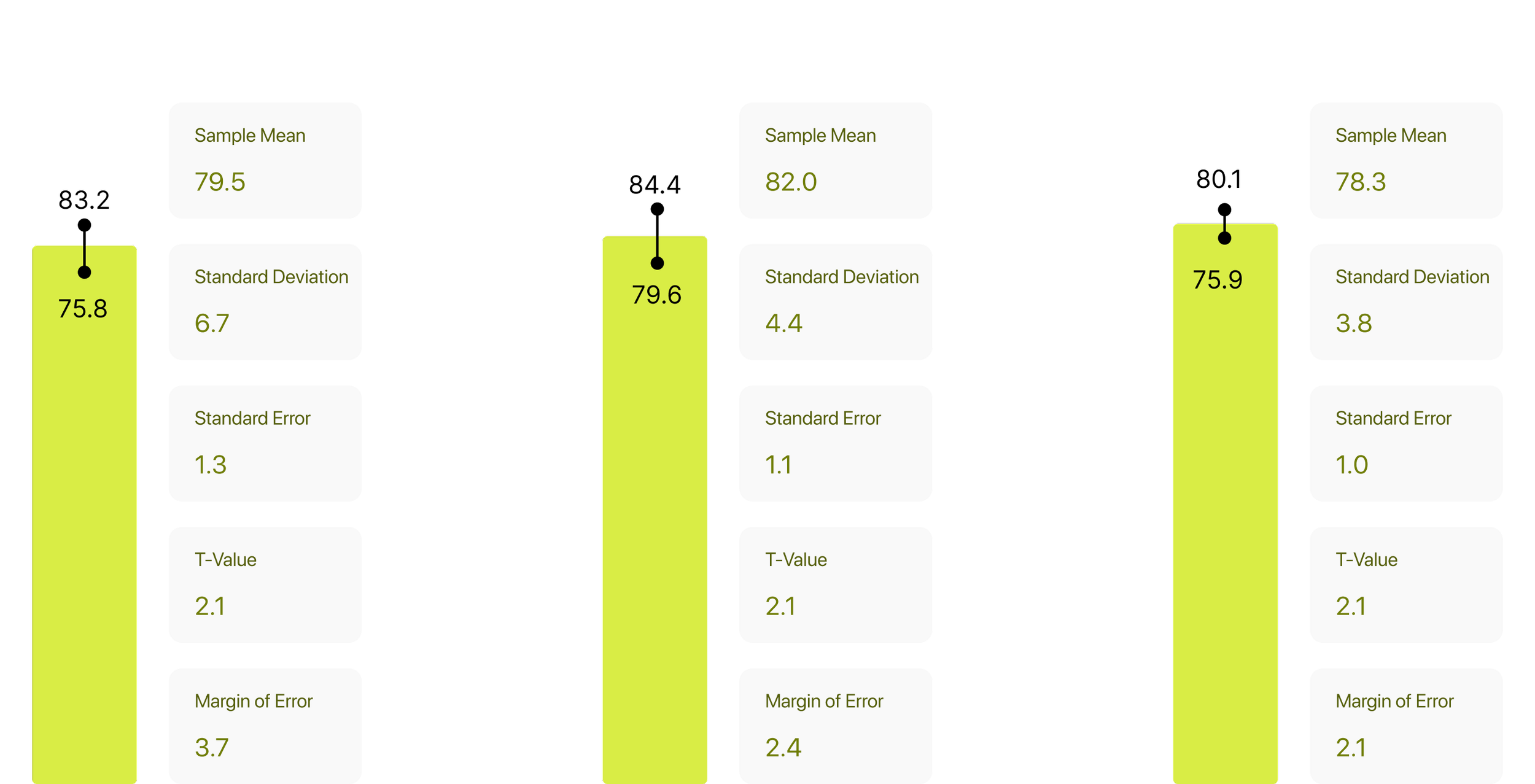
Confidence intervals based on SUS scores reveal how consistent and reliable users perceived each part of the system.
Operational Friction
Unclear temperature adjustment flow; users got stuck on the time setting screen
Enhance visual feedback and interaction cues for temperature and scheduling interfaces.
Unfriendly for First-Time Users
Lack of guidance, skipped steps, and missing interaction confirmations.
Introduce contextual tips to reduce learning friction.
Navigation Issues
Users struggled to locate existing schedules or hidden entry points.
Refine navigation logic and task transitions to improve discoverability.
Inconsistent Cross-Device Experience
Interaction patterns and visual responses differ between Thermostat and App.
Unify design language and interaction logic across platforms to ensure cohesive experience.
Iterate
Implemented Changes for Thermostat
Connector Alignment
Triangle connector now links the timeline and temperature bubble, clarifying the cause-effect relationship that was previously missing.
Inline Stack Structure
Vertical alignment of the bubble and action buttons (Back, Modify, Delete) along the timeline axis enhances logical flow and structural clarity.
Dotted Guide Lines for Context
Dotted lines extend from the timeline into the action menu, reinforcing visual continuity and spatial coherence.
Implemented Changes for APP
Eco Mode Contextualized
Eco Mode is now integrated with clear labels and dynamic range visuals, helping users understand its impact in real time.
Missing Environmental Context
Outdoor temperature and humidity are now displayed, offering environmental cues to inform smarter decisions.
Improved Visual Narrative
The UI introduces intuitive progress bars and icons that visually guide users through their energy usage and savings.
Better Reachability of Buttons
Primary controls are repositioned within thumb reach, enhancing ease of interaction across all device sizes.
Final Delivering